Babbel - Learn Languages
BabbelEducation
4.641.75K Reviews
- Version
- 22.23.1
- Installs
- 50.00M
- Age Rating
- Everyone
Screenshots
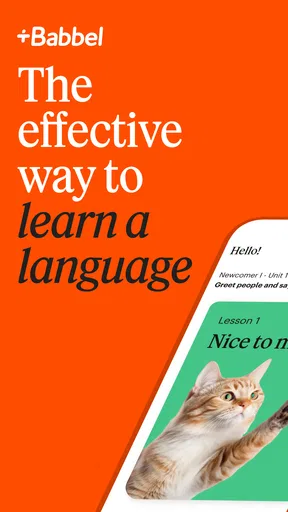
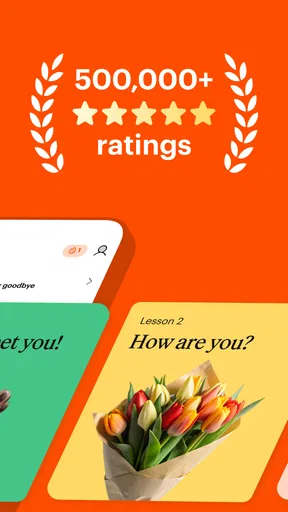
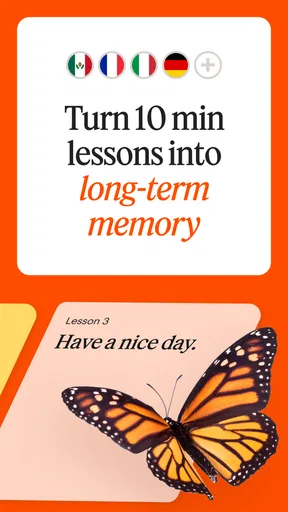
Our Review of Babbel - Learn Languages
 Analysis by Appyee
I find that language apps are easiest to judge when something goes slightly wrong: I lose a lesson, forget a phrase, or try to fit practice into a day that is already full. Babbel is built around guided language study, so its value depends less on a dramatic first session than on whether its lessons are easy to return to and useful for the situations you care about. My overall impression is that it suits learners who want a clear route through practical material, provided they are willing to practise actively rather than just tap through screens.
Getting Started with Babbel
First things first, downloading Babbel is a breeze. Available on both Android and iOS, it’s ready to transform your language learning journey. As soon as you open the app, you’re greeted with a clean, user-friendly interface that makes navigation a piece of cake.
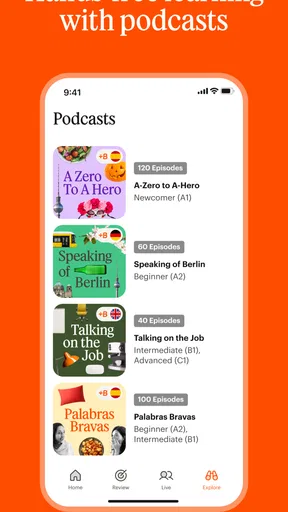
Setting up your profile is straightforward. You just need to choose the language you want to learn, and voilà, you’re all set to start your linguistic adventure. With 14 languages to choose from, including Spanish, French, Italian, and even Russian, there’s something for everyone.
Where learners can get stuck
Choosing a language is only the first decision. The more useful question is what you want to do with it: manage a basic exchange on holiday, follow a conversation with relatives, or build a habit before a class. I’d decide on one practical goal before starting, because it gives each lesson a purpose and makes it easier to notice whether the material is helping.
A common frustration with any structured course is the feeling that a lesson should be completed in one sitting. If a day gets interrupted, I’d treat a short pause as a normal break rather than a reason to abandon the routine. When returning, take a moment to revisit the last phrase you remember before moving forward; that small reset can reveal whether you retained the material or merely recognized it while it was on screen.
Babbel is an education app from Babbel, and its scale suggests it has reached a broad audience: it has more than 50 million installs and an average rating of 4.6 from about 1.1 million ratings. Those figures tell me it is widely used, not that every course or learning style will suit every person. I’d use the first few sessions to judge the teaching approach for yourself instead of treating popularity as a guarantee of progress.
Setup checks before a study session
If a lesson seems not to load or an exercise behaves oddly, I’d start with basic checks rather than assuming the course is at fault. Confirm that the device has a stable connection, close and reopen the app, and see whether the same issue happens again. If you use more than one device, make sure you are signed into the account you intended to use before deciding that progress has disappeared.
It also helps to make the learning environment suit the exercise. Listening and speaking tasks are harder to judge in a noisy room, while a quiet moment makes it easier to hear a phrase and try saying it clearly. If speech practice does not seem to respond, check the device’s relevant audio settings and try again somewhere quieter. I wouldn’t conclude from one awkward attempt that my pronunciation is hopeless—or that the lesson itself is broken.
Babbel is free to download, but it includes in-app purchases priced from $12.95 to $299.99 per item. I’d check the offer shown in the app carefully before committing, especially if I only want to try a particular study routine. Its age rating is Everyone, which makes it broadly accessible, though younger learners may still benefit from an adult helping them choose a realistic schedule and understand any purchase prompt.
The Learning Experience
What I love about Babbel is its structured lessons. Unlike some apps that throw words at you haphazardly, Babbel organizes content into thematic modules. Whether you’re interested in travel, culture, or business, there’s a course tailored for your needs.
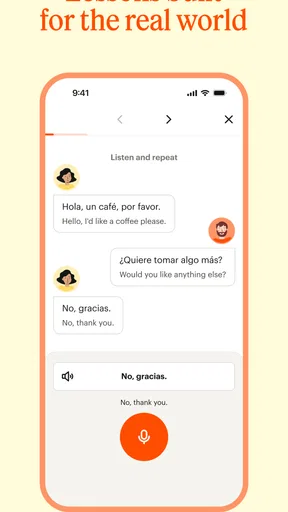
The lessons are short and sweet, typically around 10-15 minutes. Perfect for squeezing in a quick session during your lunch break or commute. And, the best part? Babbel uses real-life conversations. You’re not just memorizing vocab; you’re learning how to use it in context, which is a game-changer.
Turning a lesson into a daily habit
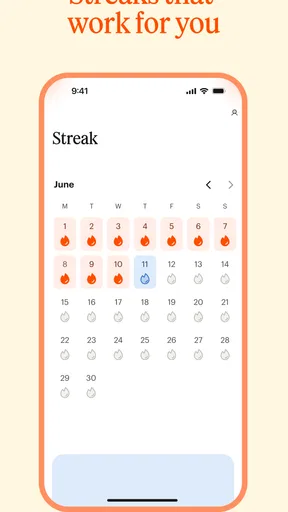
For a realistic routine, I’d attach a lesson to something that already happens: after breakfast, during a quiet lunch, or while waiting for an appointment. On a commute, I’d choose a setting where I can pay attention without needing to speak aloud; I’d save pronunciation work for home or another calm spot. The key trade-off is simple: a small, focused session is more useful than opening the app while distracted and racing through answers.
After a lesson, I’d choose two or three expressions that seem likely to come up in my real life and try to say them without looking. For example, someone preparing for a trip could practise a greeting, a polite request, and a way to ask for clarification. This is not a replacement for conversation, but it helps turn recognition into recall—a step many learners skip when they move straight to the next screen.
Thematic material is helpful when a goal is concrete, but it can feel less direct if you are studying for a class whose topics and grammar sequence are fixed. In that case, I’d use Babbel as a supplement for extra exposure and keep the teacher’s syllabus or textbook as the main guide. If you need a course that follows a specific exam specification, a resource designed around that exam is the safer choice.
Interactive Features
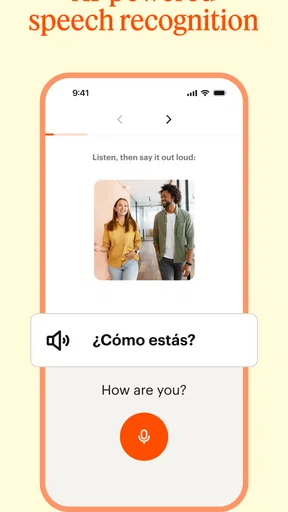
Babbel isn’t just about reading and listening; it’s interactive! The app uses a mix of exercises, including fill-in-the-blanks, matching phrases, and even pronunciation practice. The speech recognition feature is surprisingly accurate, helping you nail that tricky accent.
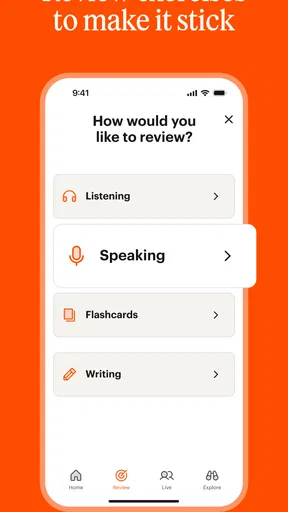
I found the review manager particularly handy. It revisits words and phrases you’ve learned, ensuring they stick in your long-term memory. It’s like having a personal tutor nudging you to remember what you’ve learned.
Recovering momentum when practice slips
When I miss a few sessions, I would not try to compensate by cramming a long run of new lessons. I’d return to the review manager first, see which phrases feel familiar, and then resume new material at a pace I can sustain. That makes it easier to separate “I have forgotten this” from “I need a quick reminder,” and it avoids turning a missed day into a larger backlog.
Another useful habit is to keep a tiny personal note outside the app: a phrase I want to use, a sound I keep mixing up, or a question to revisit. I wouldn’t copy every answer; the point is to capture the one detail that matters to me. This is especially helpful when the goal is a real conversation, because it gives me something specific to practise aloud later instead of treating a completed exercise as proof that the phrase is ready.
If progress appears out of step across devices, I’d first check that I’m using the same account and allow a little time for a connection to settle before repeating a lesson. If a technical problem keeps recurring, noting what I was doing and contacting support is more productive than repeatedly reinstalling or guessing at a cause. The app’s current version is 21.92.0, and it first came out on February 21, 2012; version details are useful context, but ordinary connection or account issues can still affect an individual session.
When the app may not be the cause
Language practice can feel harder for reasons that have little to do with the software. A noisy train, a tired evening, or trying to speak while other people are listening can make an audio exercise uncomfortable. I’d change the setting before judging the lesson: listen again in a quiet place, use headphones if that suits the device, and repeat the phrase at a natural pace.
Likewise, a correct multiple-choice answer does not necessarily mean I can produce the phrase in conversation. That gap is normal. I’d test myself by covering the answer, recalling the wording, and then saying it in a new situation. If I can recognize a phrase but cannot retrieve it, that is a cue to review, not evidence that the app has failed.
Babbel’s structure makes it different from a phrasebook, which is quicker when all you need is one translation, and from open-ended conversation exchanges, which provide more unpredictable practice with other people. I’d choose Babbel for guided lessons and a repeatable study path; I’d add real conversation when confidence and spontaneous replies matter. Someone who wants only free-form chatting may find a conversation partner more satisfying, while someone who needs a quick travel phrase may prefer a direct reference tool.
Community and Support
While Babbel is primarily a self-study tool, it doesn’t leave you hanging. The Babbel Magazine is packed with tips, cultural insights, and language hacks to keep you motivated. Plus, there’s a community forum where you can connect with fellow learners and share tips.
If you ever get stuck, Babbel’s customer support is just a click away. They’re super responsive and ready to help with any issues you might encounter.
For questions about whether it is suitable for a beginner, I’d say its step-by-step lessons make it approachable if you are willing to practise consistently. If you already speak the language comfortably, the basic material may not be challenging enough for your needs, so I’d look for advanced reading, conversation, or instruction that matches your level. Learners who depend on a live teacher for correction should also treat the app as a practice aid, not a substitute for individual feedback.
Pricing and Value
Now, let’s talk about the costs. Babbel isn’t free, but it’s reasonably priced. You can opt for a monthly subscription or save by choosing a longer plan. Considering the quality and depth of content, I’d say it’s worth every penny.
And here’s a little insider tip: Babbel often runs promotions, so keep an eye out for discounts!
Because plans and purchase options can matter more than the initial download, I’d read the exact terms presented before paying and decide how long I realistically expect to study. A learner who wants to explore one language casually may value flexibility more than a longer commitment; someone with a steady routine may judge value by whether the lessons keep supporting that routine. I would avoid buying on enthusiasm alone: first establish that the format works for you, then compare the displayed option with your budget.
Conclusion
All in all, Babbel is a fantastic app for anyone serious about learning a new language. It’s user-friendly, engaging, and packed with features that make language learning enjoyable and effective. Whether you’re a complete newbie or brushing up on your skills, Babbel offers a personalized experience that adapts to your pace and interests.
So, are you ready to embark on your language learning journey? Download Babbel, and let the adventure begin!
Who I would recommend it to
I’d recommend it to someone who likes clear direction, can make room for regular short practice, and wants to learn useful expressions in context rather than collect isolated vocabulary. It can also suit a returning learner who needs a structured way to refresh familiar material, especially if revisiting phrases feels less daunting than opening a dense textbook.
I’d be more cautious about recommending it to someone who expects rapid fluency from an app alone, needs a strict exam syllabus, or learns best through live correction and spontaneous conversation. Those goals call for other resources alongside—or instead of—a self-study course. For me, Babbel is most convincing as a dependable part of a broader routine: guided lessons for structure, personal recall for retention, and real speaking opportunities when it is time to use the language beyond the screen.
Privacy and Permissions
See what permissions an app requests and how it handles your data.
- Photos/Media/Files
- read the contents of your USB storage, modify or delete the contents of your USB storage
- Storage
- read the contents of your USB storage, modify or delete the contents of your USB storage
- Camera
- take pictures and videos
- Microphone
- record audio
- Wi-Fi connection information
- view Wi-Fi connections
- Other
- view network connections, full network access, change your audio settings, run at startup, control vibration, prevent device from sleeping
Verdict
Strengths of Babbel - Learn Languages
- Wide variety of languages offered.
- Interactive and engaging lessons.
- Offline mode for learning anywhere.
- Speech recognition for pronunciation.
- Structured courses for all levels.
Limitations of Babbel - Learn Languages
- Limited free content available.
- Subscription can be pricey.
- No live tutor support.
- Some languages lack advanced courses.
- Interface can be slightly cluttered.
Similar Picks in This Category
View All
Duolingo: Language Lessons
Duolingo4.7

Google Classroom
Google LLC2.8

Unacademy: Learn & Crack Exams
Unacademy3.2

Bible App for Kids
Life.Church4.4

Cake - Learn English & Korean
Cake Corp.4.7

Brainly: AI Homework Helper
Brainly4.5
Frequently Asked Questions
What languages can I learn with Babbel?
Babbel offers a wide variety of languages for learners to explore. Currently, you can choose from 14 languages, including Spanish, French, German, Italian, Portuguese, Swedish, Dutch, Polish, Turkish, Norwegian, Danish, Russian, Indonesian, and English. Each language course is designed to provide comprehensive learning experiences tailored to your level.
How effective is Babbel for language learning?
Babbel is highly regarded for its structured approach to language learning. It provides interactive lessons that focus on practical conversation skills. Many users find it effective due to its mix of speaking, listening, reading, and writing exercises. However, effectiveness can vary based on individual learning styles and dedication.
Is Babbel free to use?
Babbel offers a free trial where users can access some lessons to evaluate the platform. To unlock the full course content, a subscription is necessary. Various subscription plans are available, such as monthly, quarterly, or yearly, allowing users to choose based on their commitment and learning goals.
Can I use Babbel offline?
Yes, Babbel allows users to download lessons for offline use. This feature is particularly beneficial for learners who want to study on-the-go without needing a constant internet connection. Once downloaded, lessons can be accessed anytime, making it convenient for users with varying schedules.
What devices are compatible with Babbel?
Babbel is compatible with a wide range of devices. It can be accessed via a web browser on computers or through mobile apps on both Android and iOS devices. This versatility ensures that users can continue their learning seamlessly across different platforms, whether at home or on the move.
